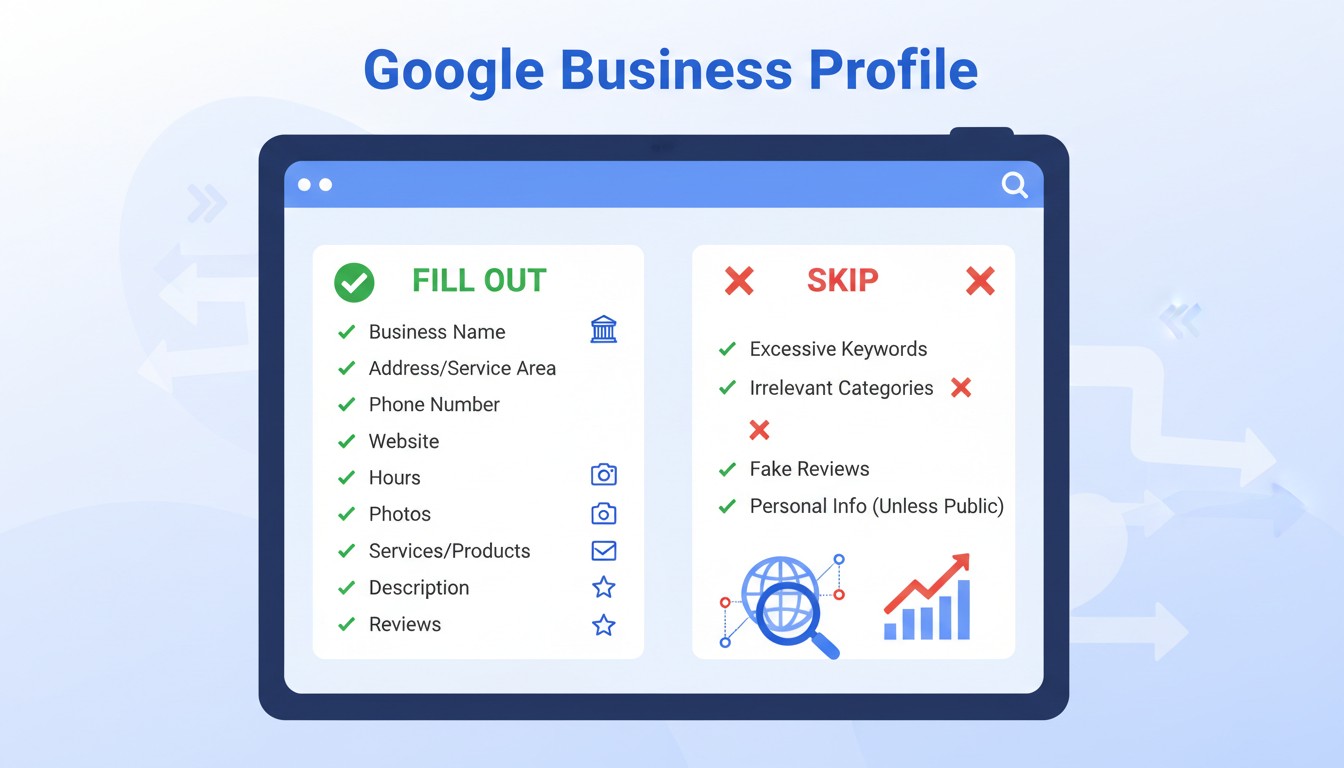
The decisions that determine whether your business thrives or dives in local search aren’t made in Google’s corporate headquarters—they’re made in the ten minutes you spend (or ignore) updating your profile each week. Google’s algorithm doesn’t reward perfection; it rewards precision and consistency. Yet research from local SEO studies shows 68% of business owners haven’t updated their primary category in over a year, and 43% use website links that create redirect chains, silently sabotaging their visibility.
This optimization gap creates a paradox: the easiest digital marketing win delivers the highest ROI, yet receives the least strategic attention. While you pour budget into Facebook ads and email campaigns, your Google Business Profile—the free tool that determines your Map Pack placement—operates on autopilot, often with outdated information that erodes trust before a customer ever clicks. Understanding what to fill out, what to skip, and what actively damages your ranking transforms you from algorithmic victim to local search architect.
- The Hidden Algorithm: How Google Builds Your Digital Reality
- The Trust Hierarchy: What Google Actually Checks
- The Fill-Or-Fail Checklist: Non-Negotiable Fields That Make or Break You
- Mandatory Foundation: Build It Right or Don’t Build It
- High-ROI Enhancements: Fill These or Fall Behind
- The Skip List: What Hurts More Than It Helps
- Keyword Stuffing: The Fastest Path to Suspension
- Duplicate Listings: The Self-Sabotage Spiral
- Virtual Offices: The Verification Death Trap
- Over-Posting: The Spam Signal
- The Verification Minefield: What Gets You Flagged
- The Psychology of Optimization: Why Owners Choose Wrong
- The “More is Better” Fallacy
- The Expertise Trap
- The Set-and-Forget Mindset
- Real-World Impact: Profiles That Transformed Businesses
- The Dentist Who Conquered “Near Me”
- The Food Truck That Fixed Its Address
- The Salon That Tracked Everything
- The Multiplier Effect: How Small GBP Edits Cascade
The Hidden Algorithm: How Google Builds Your Digital Reality
Every element of your profile feeds a complex decision tree that determines whether you appear when customers search. The algorithm weighs primary category signals, NAP (Name, Address, Phone) consistency, review velocity, and post frequency—not as a beauty contest, but as a trust assessment. SEO experts call this “local relevance,” but it’s more accurately a credibility filter that separates legitimate businesses from digital ghosts.
Consider something as mundane as your website link. A direct URL to your homepage sends a clean trust signal. But a link that redirects through three tracking parameters and a 302 redirect tells Google your site architecture is unstable, triggering a subtle ranking penalty that pushes you below competitors with direct links. A five-second fix can determine whether you appear in the top three Map Pack positions or vanish to page two where 92% of customers never scroll.
Category selection creates similar invisible impacts. A broad category like “Restaurant” pits you against every eatery in a five-mile radius. A precise category like “Vegan Thai Restaurant” aligns you with specific search intent, dramatically improving conversion. These choices ripple through your entire digital presence, affecting not just visibility but the quality of traffic. One misstep can flood your phone with irrelevant calls; one refinement can connect you with your ideal customer avatar.
The Trust Hierarchy: What Google Actually Checks
Critical Signals: Primary category, physical address verification, local phone number, direct website URL
Secondary Signals: Review responses, Google Posts frequency, Q&A engagement, photo uploads
Tertiary Signals: Attributes (wheelchair accessible, Wi-Fi), service menus, booking link integration
Toxic Signals: Keyword stuffing, virtual addresses, duplicate listings, redirect chains
The Fill-Or-Fail Checklist: Non-Negotiable Fields That Make or Break You
Google’s official guidelines are clear: misrepresent your business and you face suspension. But beyond compliance, certain fields act as algorithmic steroids, while others are digital deadweight.
Mandatory Foundation: Build It Right or Don’t Build It
Business Name: Use your real-world name as it appears on signage and licenses. Adding “Best Pizza in Chicago” seems clever until Google’s AI flags it for policy violation and removes your listing. Consistency across your website, LLC registration, and profile is your shield against suspension.
Physical Address: This is binary. You must have a real location customers can visit. Google’s address requirements explicitly prohibit PO boxes and virtual offices. For service-area businesses (plumbers, mobile detailers), you must still verify a physical location but can hide it from public view, defining instead up to 20 specific service regions by city, state, or zip code.
Local Phone Number: Use a number with a local area code that rings directly to this location. A 1-800 number or call center line signals “chain corporation” and reduces trust. According to best practice guidelines, local numbers improve search visibility and answer rates.
Primary Category: This single selection carries more ranking weight than any other field. Choose the most precise descriptor of your core business. “Thai Restaurant” beats “Asian Restaurant” which beats “Restaurant.” Research competitors’ categories and select what aligns with your highest-margin offering. You can add secondary categories, but your primary selection determines your primary battlefield.
Website URL: Link directly to a location-specific landing page. No tracking parameters, no redirects, no homepage detours. Redirect chains—even 301s—dilute ranking signals. If you must track, use UTM parameters after verifying the direct link works: `yourbusiness.com/location?utm_source=google&utm_medium=local`.
High-ROI Enhancements: Fill These or Fall Behind
Google Posts: Publish updates weekly. Posts expire after seven days, creating freshness signals that boost ranking. Share events, offers, or new products with high-quality images. Businesses posting regularly see 38% more direction requests.
Booking Links: If you accept appointments, integrate “Reserve with Google.” This reduces friction and increases conversions by 26% on average. Missing this link is like locking your front door during business hours.
UTM Tracking: Add UTM codes to your website link in GBP: `?utm_source=google&utm_medium=local&utm_campaign=gbp`. This reveals which profile elements drive traffic, letting you double down on what works. Flying blind without tracking is a cardinal sin.
Structured Data: Add `LocalBusiness` schema markup to your linked landing page. Include exact NAP, geo-coordinates, and services. This markup doesn’t directly boost rankings but ensures Google understands your page, improving indexing accuracy and rich result eligibility.
The Skip List: What Hurts More Than It Helps
Some fields seem useful but create maintenance nightmares or trigger policy violations. These are the “productivity traps” of GBP optimization.
Keyword Stuffing: The Fastest Path to Suspension
Never add location keywords or descriptors to your business name field. “Joe’s Pizza | Best Pizza in Brooklyn | Open Late” will get flagged. Google matches your profile name to real-world signage and legal registration. Mismatch = suspension. Keep it clean and legal.
Duplicate Listings: The Self-Sabotage Spiral
Creating separate profiles for “Joe’s Pizza Downtown” and “Joe’s Pizza Catering” splits your reviews and confuses customers. Google allows one profile per physical location. Use attributes, posts, and services to showcase different offerings. Duplicates trigger merging errors and ranking dilution.
Virtual Offices: The Verification Death Trap
Using a co-working space address without permanent signage and dedicated staff during listed hours violates Google’s policies. You’ll pass initial verification but fail random re-verification checks, resulting in sudden suspension. Either get a permanent suite with signage or list yourself as a service-area business.
Over-Posting: The Spam Signal
Posting more than once per day can trigger spam filters. Quality over quantity. One thoughtful post with a high-resolution image and clear CTA outperforms five daily text-only updates. Space posts to maintain freshness without flooding the feed.
The Verification Minefield: What Gets You Flagged
Instant Red Flags: PO boxes, virtual offices without signage, multiple businesses at same address without suite numbers
Slow-Burn Issues: Name inconsistencies across platforms, address formatting conflicts, phone number mismatches
Surprise Suspensions: Sudden category changes, bulk photo uploads from different locations, rapid description edits
The Psychology of Optimization: Why Owners Choose Wrong
If GBP is so powerful, why do smart business owners misfire? The answer lies in cognitive shortcuts, complexity aversion, and misaligned incentives.
The “More is Better” Fallacy
Human brains equate quantity with effort. Filling every attribute, creating twelve categories, posting daily feels productive. But Google’s algorithm rewards accuracy over abundance. One perfect category outranks five mediocre ones. A single direct link beats three tracked redirects. This miscalculation wastes time while actively hurting rankings.
The Expertise Trap
Most owners didn’t study SEO. The technical jargon—schema markup, UTM parameters, 302 redirects—feels overwhelming, creating “learned helplessness.” They update what looks familiar (photos, description) and ignore what seems technical (categories, structured data). This bias leaves the highest-impact fields neglected while low-impact fields get over-polished.
The Set-and-Forget Mindset
After the initial verification rush, GBP becomes invisible. It’s not a daily tool like email, so it fades from consciousness. But Google rewards recency. A profile dormant for six months signals “potentially closed” to the algorithm. The business is thriving, but its digital heartbeat flatlines.
Real-World Impact: Profiles That Transformed Businesses
The abstract becomes concrete through case studies. These examples show how precise GBP optimization created tangible revenue gains.
The Dentist Who Conquered “Near Me”
A suburban dental practice was invisible for “dentist near me” searches. Their primary category was “Health,” a fatal error. After switching to “Dentist” and adding “Cosmetic Dentist” as secondary, they updated their website link to a direct landing page with `LocalBusiness` schema. Within 60 days, they moved from position 12 to position 2 in Map Pack. New patient calls increased 47%, directly traceable to GBP Insights showing click-to-call actions.
The Food Truck That Fixed Its Address
A food truck used a shared kitchen address as its public location, violating co-working space rules. After suspension, they reclassified as a service-area business, hid the address, and defined precise service radii for each weekly location. They added a booking link for catering and posted daily location updates. Revenue split shifted from 80% events/20% street sales to 50/50, as Google began showing them for “food truck near me” in their designated areas.
The Salon That Tracked Everything
A hair salon added UTM tracking and discovered 60% of their website traffic came from GBP, not Instagram as they assumed. They reallocated marketing hours from content creation to review response and posting weekly color transformation photos. Appointment bookings via their “Reserve with Google” link increased 73% in three months, while ad spend remained zero.
The Multiplier Effect: How Small GBP Edits Cascade
A single category change doesn’t just adjust one search—it rewires your entire local search ecosystem. This cascade effect explains why 15 minutes of precise editing can outperform months of traditional marketing.
Changing your primary category from “General Contractor” to “Home Remodeling Contractor” does more than clarify your service. It triggers a re-evaluation of your relevance for long-tail searches. Google begins showing you for “kitchen remodel,” “bathroom renovation,” and “home addition”—searches with higher commercial intent. Your click-through rate climbs because you’re more relevant. Higher CTR signals quality, boosting your rank further. Better rank generates more reviews. More reviews increase trust, which improves conversion. One edit, exponential returns.
The reverse cascade is devastating. An incorrect address format triggers verification delays. During delay, your profile becomes “suggested edits” bait for competitors or malicious users. Wrong information gets published. Customers arrive at the wrong location and leave negative reviews. Your rating drops. Lower rating reduces click-through. Reduced CTR signals irrelevance, sinking your rank. One formatting error, systemic collapse.